
BDO PESONet: Daily Limit, Cut-Off Time and Steps
PESONet is the batch option for bigger transfers from BDO to other banks. BDO's limits table, checked on November 9, 2026, lists a ₱500,000 shared daily limit, a ₱100 minimum, and no fee. Instructions sent on or before 3:00 PM are processed the same day, while later ones, weekend ones, and holiday ones wait for the next banking day.
Last checked: November 9, 2026. This independent guide is not BDO.
How PESONet differs from InstaPay
InstaPay moves money in real time but caps each transaction at ₱50,000. PESONet works like a clearing batch: banks collect instructions, exchange them at set times, and credit the receiving accounts after settlement. That makes it slower in exchange for being able to handle much larger amounts.
If you picture InstaPay as a motorbike courier, PESONet is the scheduled truck. It carries more, but it leaves at certain times.
The numbers on BDO's page
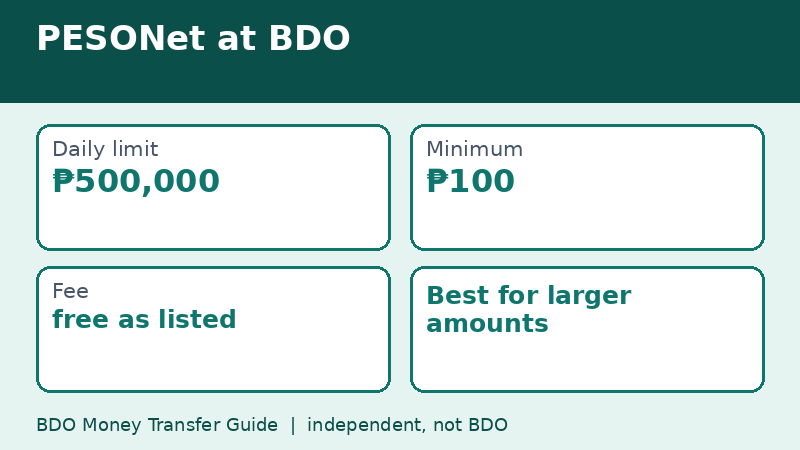
- Shared daily limit: ₱500,000.
- Minimum: ₱100.
- Fee: free, as listed on the page.
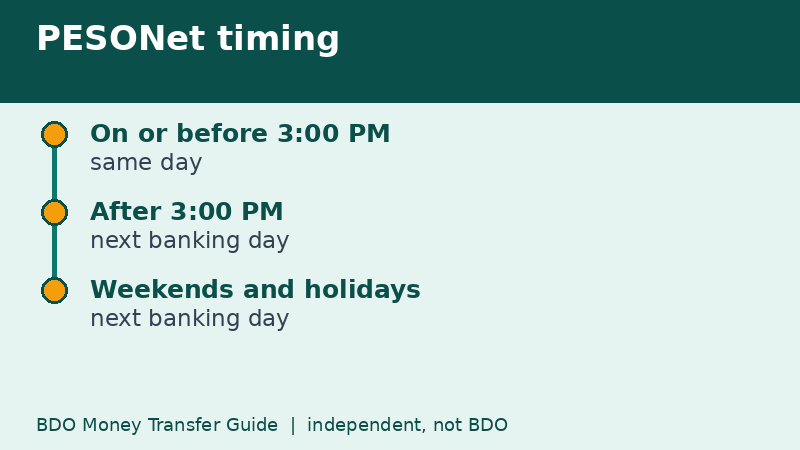
- Timing: on or before 3:00 PM on a banking day is processed the same day; after 3:00 PM, on weekends, and on holidays it is processed the next banking day.
The page shows no effective date for these figures, so check the app for the current numbers when the amount is large.
Planning around the 3:00 PM cut-off
Imagine you need to pay a supplier ₱350,000 by Friday evening. If you send the PESONet transfer at 2:30 PM on Friday, it is eligible for same-day processing. If you wait until 4:00 PM, it moves to the next banking day, which could be Monday. For a payment with a deadline, aim for the morning.
Also remember that the receiving bank credits the money in its own process, so same-day processing on BDO's side does not guarantee the exact minute the recipient sees it. Tell the recipient to expect it later in the day, not instantly.
Steps for sending by PESONet
- Log in to BDO Online or BDO Pay and tap Send Money.
- Choose the option for other banks and pick PESONet.
- Select the receiving bank and type the account details.
- Enter an amount of at least ₱100 within your daily limit.
- Review the summary and the stated processing time.
- Approve with your passcode, biometrics, or OTP, and save the reference number.
Use the labels on your screen if they differ from this list.
Splitting between InstaPay and PESONet
On a day when you need both speed and size, you can mix the two. For example, send ₱40,000 through InstaPay now so the recipient has pocket money, and send the larger remainder through PESONet before 3:00 PM. Keep in mind that InstaPay uses a different shared limit of ₱100,000 and PESONet uses ₱500,000, so one does not eat into the other in BDO's table.
What can go wrong
- Sending after the cut-off and expecting same-day credit.
- Choosing PESONet for a recipient wallet that expects InstaPay only.
- Typing the wrong account number, which a larger amount makes more painful.
- Assuming a weekend counts as a banking day.
Fees: a short history
PESONet was traditionally the cheaper but slower option. In 2026, with Circular 1238 in effect from July 4, banks changed their transfer pricing. BDO announced on July 9, 2026 that InstaPay and PESONet are free on BDO Online and BDO Pay, according to news reports citing the bank's advisory. If you read an older article quoting a PESONet fee, treat it as history and compare with your own summary screen.
Who should use PESONet and who should not
PESONet suits people who plan ahead: a parent paying tuition before the deadline, a small business owner paying a supplier, a buyer paying a reservation fee, or someone moving savings from one bank to another. It is less suitable when you need to prove payment within minutes, for example when a seller will not release an item until the money shows up.
If you are not sure, ask the recipient, "Is next banking day okay?" A short question avoids an argument later.
Telling the recipient what to expect
Most disputes over transfers come from mismatched expectations, not from the bank. When you send by PESONet, share a screenshot of the confirmation, say which day you expect the credit to appear, and give the reference number. If the recipient's bank is slow, they can quote it when they check. A calm message that sets the timing is more useful than a rushed message saying the money has been sent.
For larger amounts, ask the recipient to confirm receipt in writing once the credit appears, which gives both sides a clear record.
Quick recap
- Daily limit shown: ₱500,000, shared.
- Minimum: ₱100.
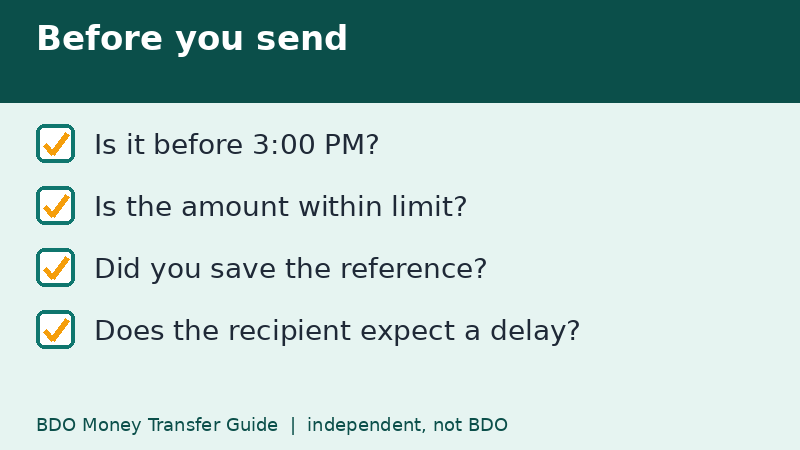
- Send by 3:00 PM for same-day processing.
- After that, or on weekends and holidays, expect the next banking day.
- Save the reference number and tell the recipient when to expect it.
Frequently asked questions
What time is the PESONet cut-off at BDO?
BDO's page says transactions on or before 3:00 PM are processed the same day. Later ones wait for the next banking day.
Is PESONet available on weekends?
Instructions sent on weekends are processed on the next banking day, per BDO's page.
What is the PESONet daily limit?
The table shows a shared daily limit of ₱500,000.
Can I cancel a PESONet transfer after sending?
BDO's public pages do not describe a cancellation option for a sent transfer, so check the app and contact BDO quickly if you made a mistake.
Related guides
- BDO Money Transfer to GCash: Steps From BDO Online
- BDO Money Transfer to Maya: Steps and Wallet Tips
- BDO Money Transfer Scam Warning Signs and Safe Habits
Back to the full guide: BDO Money Transfer: Fees, Limits, Other Banks & Overseas