BDO to GCash Transfer: How to Cash In From Your BDO Account
To move money from BDO to GCash, open Send Money in BDO Online or BDO Pay, pick the option for other banks and wallets, choose GCash from the list, and enter the wallet details. It runs on InstaPay, so the per-transaction cap is ₱50,000 and the ₱100 minimum applies. On BDO's page, checked on November 9, 2026, InstaPay is listed as free.
Last checked: November 9, 2026. This independent guide is not BDO.
Two ways to cash in, and which one this page covers
There are two directions to start a GCash top-up from a bank. You can start from the GCash app and pull money from your bank, or you can start from the bank app and push money to the wallet. This page covers the second: you begin inside BDO Online or BDO Pay. If you start from GCash instead, that is a different flow with its own steps inside the wallet app.
Step by step from the BDO app
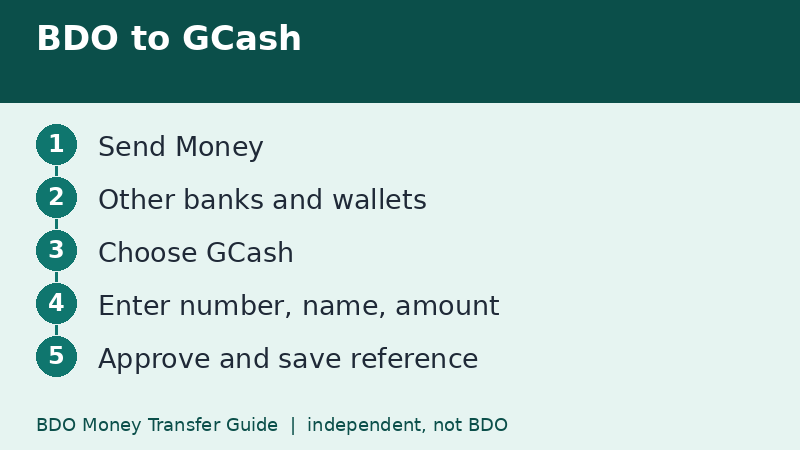
- Open BDO Online or BDO Pay and log in.
- Tap Send Money.
- Choose the destination for other banks and e-wallets.
- Select InstaPay if you are asked for a channel, since wallets work on the real-time rail.
- Pick GCash from the list of wallets. The wallet may appear under its operating entity's name.
- Enter the GCash mobile number or account number, the account name, and the amount.
- Review, approve with your passcode, biometrics, or OTP, and keep the reference.
If you cannot find GCash by name, ask the recipient or check the wallet's own help pages for the name it uses in bank lists.
Know your limits on both sides
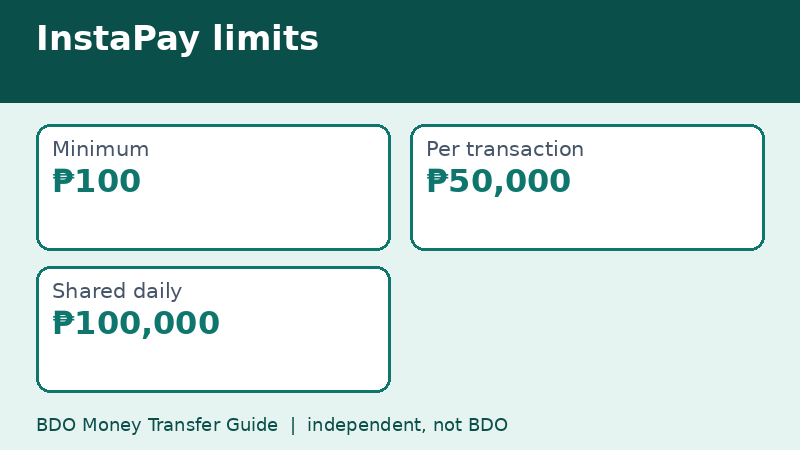
On the BDO side, the InstaPay limits are ₱100 minimum, ₱50,000 per transaction, and ₱100,000 shared daily. On the wallet side, your GCash account type and verification level decide how much it can receive and hold. A fully verified wallet normally has more room than a basic one, but the exact numbers are the wallet's to publish, so check inside the GCash app before sending a big amount.
If your wallet cannot take the full sum, the transfer may fail or return, and you will wait for the refund. Test with a smaller amount if it is your first time.
Cost and timing
InstaPay should credit within moments. As for cost, BDO announced on July 9, 2026 that InstaPay and PESONet are free on BDO Online and BDO Pay. A wallet could still have its own rules for incoming transfers, so look at your GCash transaction history after the money lands to confirm the amount credited matches what you sent.
Common mistakes
- Typing the mobile number with a missing digit. Wallet numbers are long, so read them back aloud.
- Sending through a bank option that is not meant for wallets.
- Trying to move more than ₱50,000 at once through InstaPay.
- Retrying immediately after a slow response and ending up with a double transfer.
If the money does not show up
Open your BDO transaction history first and confirm the transfer shows as completed. If it does, the money has left BDO, and the next step is to check the wallet's transaction page and its support channels with your reference number. If the BDO record shows failed, the money should return to your account. We cover the full sequence on our page about tracking a transfer.
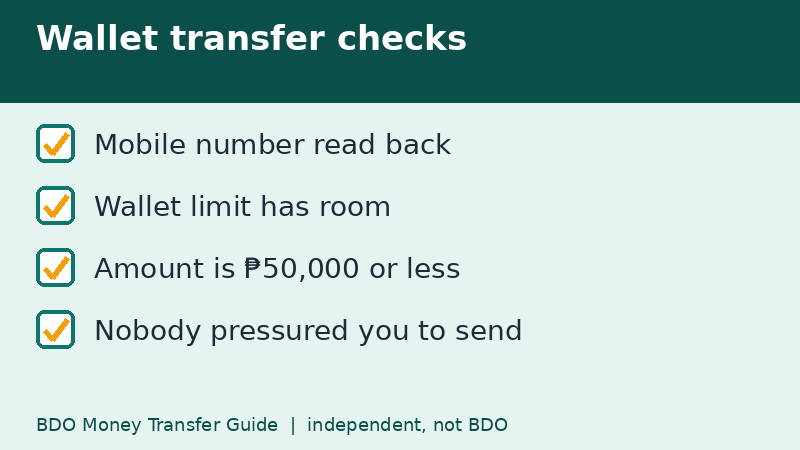
Safer habits for wallet transfers
Wallet accounts are a favorite target for impostors who ask you to send a small amount to unlock a prize, a loan, or a job. A genuine bank or wallet will not ask you to transfer money to release a payout. If anyone asks, stop and check our scam tips page.
Planning a bigger wallet top-up
Suppose you need ₱90,000 in your wallet for a business purchase. At the InstaPay cap of ₱50,000 per transaction and ₱100,000 per day, you could send ₱50,000 and then ₱40,000 in the same day, leaving only ₱10,000 of the daily limit for anything else, including QR payments. Another option is to move the money across two days, or to pay the seller directly from your bank instead of loading a wallet.
Loading a wallet is not always necessary. If the seller accepts a bank transfer, paying the bank directly avoids a second step and a second set of limits.
Questions to ask before you cash in
- Do I really need the money in the wallet, or can I pay from my bank?
- What is the maximum my wallet can hold and receive at my verification level?
- Will the wallet apply its own charge to incoming transfers?
Quick recap
- Use the bank-and-wallet option, then choose the wallet.
- InstaPay cap: ₱50,000 per transaction.
- Daily InstaPay limit: ₱100,000, shared with QR payments.
- Read the mobile number back before approving.
- Check the wallet's own limits for your verification level.
Frequently asked questions
Is BDO to GCash free?
BDO's InstaPay is listed as free as of November 9, 2026, but check the fee line on your summary screen.
What is the maximum I can send?
₱50,000 per InstaPay transaction, within the ₱100,000 shared daily limit shown on BDO's page.
How long does it take?
InstaPay is built to be real-time, so it should reflect in moments.
Can I send from BDO to a GCash number that is not mine?
Yes, if you have the right account details and the wallet can receive. Confirm the name with the owner first, and never send to someone who contacted you unexpectedly.
Related guides
- BDO Money Transfer to Maya: Steps and Wallet Tips
- BDO Money Transfer With BDO Pay: Send, Scan and Save
- BDO Money Transfer Minimum Amount: ₱1, ₱100 and USD 1
Back to the full guide: BDO Money Transfer: Fees, Limits, Other Banks & Overseas