
BDO Pay Send Money: How It Works and What to Watch
With BDO Pay you can send money in a few taps by logging in, choosing Send Money, picking a recipient or scanning a QR code, and entering the amount. BDO's announcement of July 9, 2026 says InstaPay and PESONet transfers are free on both BDO Online and BDO Pay. Remember that QR payments and InstaPay share one ₱100,000 daily limit.
Last checked: November 9, 2026. This independent guide is not BDO.
BDO Online and BDO Pay: two apps, one account
Many BDO customers use both apps. BDO Online is BDO's online banking app. BDO Pay is a separate app built around payments and transfers. Both let you send money to BDO accounts, other banks, and e-wallets, and BDO's fee announcement mentions both by name. For most transfers, you can pick whichever app you find easier to use.
If you are new to the BDO Pay app, expect a short setup: install, register, and bind your device. Use only the official app stores and keep your passcode private.
Sending to a saved or typed recipient
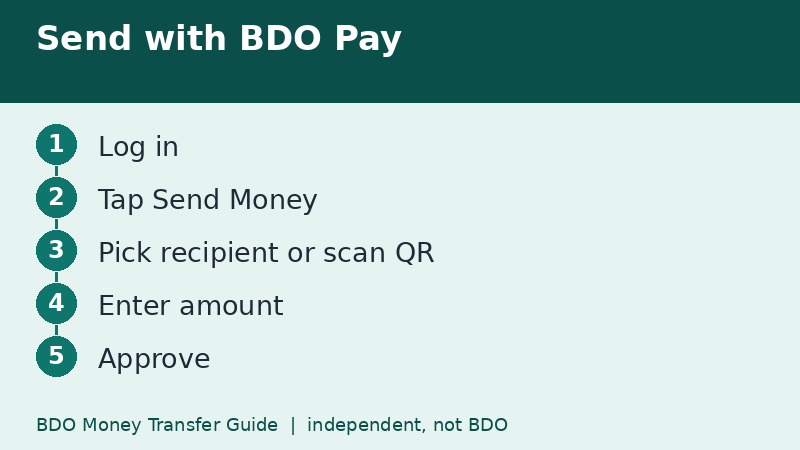
- Open BDO Pay and log in.
- Tap Send Money on the dashboard.
- Choose the recipient: your own account, another BDO account, or another bank or wallet.
- Enter the account details and the amount.
- Review the details, especially the name and the fee line.
- Approve with your passcode, biometrics, or OTP.
If the app offers to save the recipient, do it only after the first transfer has been confirmed as correct.
Sending by scanning a QR code
Many sellers and small shops display a QR Ph code. In the app you can scan it, check the name that appears, enter the amount if it is not preset, and approve. Scanning replaces typing an account number, which removes a common source of mistakes.
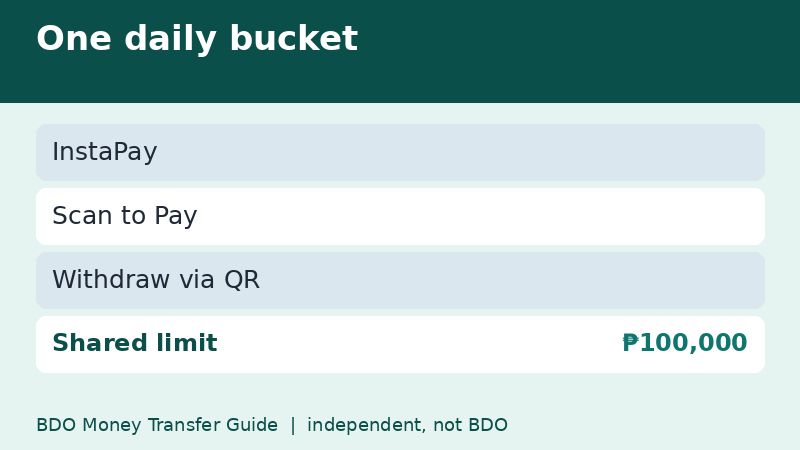
BDO's limits page treats Scan to Pay together with InstaPay and Withdraw via QR under one shared daily limit of ₱100,000. If you pay several sellers in a day, those payments and any InstaPay transfers use the same bucket. A ₱30,000 InstaPay transfer in the morning leaves ₱70,000 for the rest of the day.
A note on QR safety
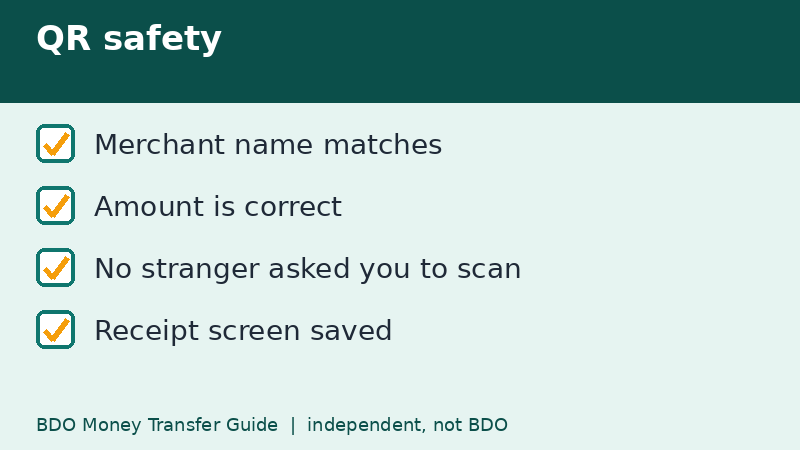
- Check that the merchant name displayed after scanning matches the shop in front of you.
- Do not scan a QR code sent by a stranger and asking you to receive money. Receiving money never requires you to scan or approve a payment.
- Be careful with stickers placed over a shop's real QR code. If the name looks odd, ask staff to show their official code.
Fees, limits, and what the page says
BDO's table, checked on November 9, 2026, lists InstaPay at ₱100 minimum, ₱50,000 per transaction, and ₱100,000 shared daily. PESONet shows a ₱500,000 shared daily limit and a ₱100 minimum. BDO-to-BDO peso transfers show a ₱1 minimum and a ₱500,000 shared daily limit. All of these are listed as free. The page has no effective date, so treat it as a snapshot.
When to use which app
Which app has which feature can change over time. If you only need to send money or pay by QR, start with the app you already use daily. If you cannot find a feature such as a statement, a card setting, or a limit setting, check the other app too. Look for the menu on your own phone instead of relying on a screenshot from an old blog.
Basic security habits
- Update from the official store only, never from a link in a message.
- Do not share OTPs, even with someone who says they are from the bank.
- Turn on transaction alerts so you notice unexpected activity quickly.
- Lock your phone with a passcode and biometrics.
For a longer list, read our page on scam warning signs.
A realistic example: paying at a market stall
You are at a weekend market and the seller shows a QR code. You open BDO Pay, scan it, read the merchant name, enter ₱350 if the code has no preset amount, and approve. The seller sees a notification on their own phone. You keep the receipt screen. The whole thing takes less time than counting coins, and it counts toward the shared ₱100,000 daily limit with any InstaPay transfers you made that day.
If the merchant name looks unrelated to the stall in front of you, stop and ask. It is better to pay in cash than to send money to the wrong person.
Quick recap
- BDO Pay and BDO Online both appear in BDO's fee announcement.
- Scan to Pay shares the ₱100,000 InstaPay daily limit.
- Check the merchant name after every scan.
- Never scan a code to receive money.
- Keep the receipt screen for large payments.
Frequently asked questions
Is BDO Pay free for transfers?
BDO announced on July 9, 2026 that InstaPay and PESONet are free on BDO Online and BDO Pay. Check your summary screen for the fee line.
Does QR payment use the same limit as InstaPay?
Yes, per BDO's page, Scan to Pay and Withdraw via QR share the ₱100,000 daily limit with InstaPay.
Can I use BDO Pay for PESONet?
BDO's announcement names both InstaPay and PESONet for BDO Online and BDO Pay. Available options can vary by app version.
Do I need both BDO apps?
Not necessarily. Many people use one for daily payments, but features can differ, so check which app offers what you need.
Related guides
- BDO Money Transfer to an International Bank: Wire Guide
- BDO Money Transfer Between Your Own USD and PHP Accounts
- Sent BDO Money to the Wrong Account? What to Do Now
Back to the full guide: BDO Money Transfer: Fees, Limits, Other Banks & Overseas