
BDO InstaPay: Limits, Minimum and How to Use It
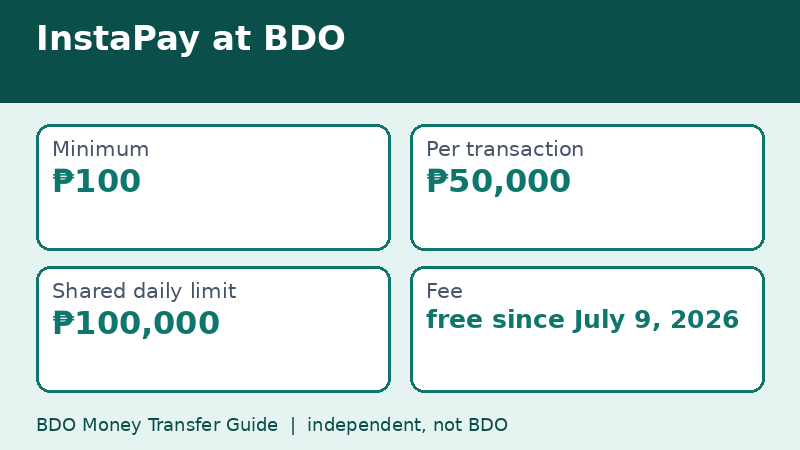
InstaPay is the real-time option for sending money from BDO to other banks and e-wallets. BDO's limits table lists a ₱100 minimum, a ₱50,000 maximum per transaction, and a shared daily limit of ₱100,000, with no fee. That page, checked on November 9, 2026, also says Scan to Pay and QR cash withdrawals use the same daily limit.
Last checked: November 9, 2026. This independent guide is not BDO.
What InstaPay is, in plain words
InstaPay is a Philippine payment rail built for small, fast transfers between banks and e-wallets. Instead of waiting for a batch, the receiving institution credits the money almost immediately, including on weekends and holidays. Banks and wallets plug into the same rail, which is why you can send from BDO to a wallet app in seconds.
For everyday use, such as paying a friend, a seller, or a family member, it is the default choice. The catch is the size cap: the network is meant for amounts up to ₱50,000 per transaction.
The three numbers to remember
- Minimum: ₱100 per transaction.
- Maximum per transaction: ₱50,000.
- Shared daily limit: ₱100,000.
Because the daily limit is shared, the smart way to plan is to think of ₱100,000 as one bucket for the day. Everything that draws from it reduces what is left.
What shares the ₱100,000 limit
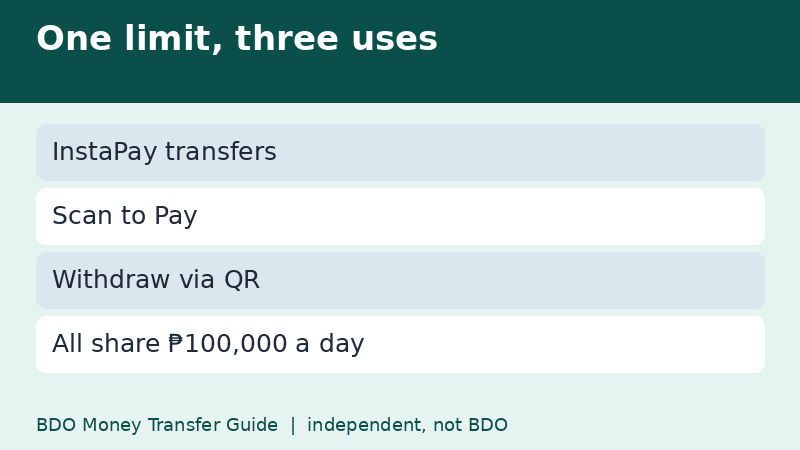
BDO's notes on the limits page say that InstaPay, Scan to Pay, and Withdraw via QR share the ₱100,000 daily limit. That matters on busy days. If you sent ₱60,000 by InstaPay in the morning and then try to pay a store through a QR code for ₱50,000 in the evening, the second payment may be declined because only ₱40,000 is left.
Check your own limit settings in the app. Some limits can be adjusted by the account holder, while others are set by the bank, so what you see on your phone is the final word.
A simple routine for sending by InstaPay
- Open Send Money and choose the option for other banks and wallets.
- Select InstaPay when the channel choice appears.
- Choose the receiving bank or wallet from the list.
- Type the account details and an amount between ₱100 and ₱50,000.
- Review the summary, confirm the fee line, and approve.
Save the confirmation. For a sale, send a screenshot to the seller so they can match the payment quickly.
What about fees?
InstaPay has been a talking point in 2026. Under Circular 1238 of the Bangko Sentral ng Pilipinas, effective July 4, 2026, banks and e-wallets changed their pricing for person-to-person transfers, and BDO announced on July 9 that InstaPay and PESONet are free on BDO Online and BDO Pay. In February 2025, BDO had lowered its InstaPay fee to ₱10, so any guide that still shows ₱10 or ₱25 is describing an earlier period.
When InstaPay is the wrong tool
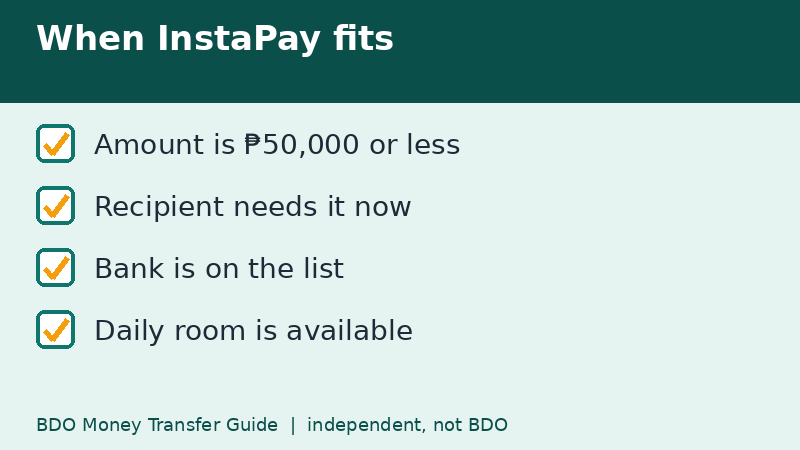
- The amount is above ₱50,000. Use PESONet or split the payment, mindful of the daily limit.
- You are paying across several days of expenses and need QR payments to work as well. Keep part of the ₱100,000 for them.
- The recipient uses a bank that is not on the InstaPay list. The app will not show the bank, and PESONet may be the only choice.
If an InstaPay transfer fails
A failed InstaPay transfer normally returns the money to your account. Do not retry until you have checked your balance and your transaction history. Sending twice because the first one looked stuck is a classic way to pay double. Our page on transfers that will not go through lists the checks in order.
A day in the life of the ₱100,000 limit
Here is how the shared limit looks on a normal Saturday. At 9:00 AM you send ₱8,500 to a wallet for groceries. At noon you pay ₱2,200 to a restaurant by scanning a QR code. At 3:00 PM you send ₱30,000 to a relative. That is ₱40,700 used, leaving ₱59,300. In the evening, a seller you trust asks for ₱55,000 for a laptop. Because the per-transaction cap is ₱50,000, you would need two transfers, and together they would bring your total for the day to ₱95,700 of the ₱100,000 limit.
This kind of running total is the reason many people feel that a limit appeared out of nowhere. It did not. Several small payments added up quietly.
Three habits that make InstaPay smoother
- Keep a screenshot folder for receipts so you can prove a payment quickly.
- Send a small test transfer before a new recipient gets a large one.
- Check the limits in your app before a big purchase, not at the checkout counter.
A word on screenshots
A screenshot of the confirmation is not legal proof, but it is the simplest record most people have. Take it right after approving, check that the amount and recipient name are visible, and store it in a folder you can find later. For important payments, also ask the recipient to confirm in writing.
Frequently asked questions
Is InstaPay available at night?
InstaPay is designed to run beyond office hours, though a particular bank or wallet may have maintenance windows.
Can I send ₱50,001 by InstaPay?
No. BDO's table shows ₱50,000 as the maximum per transaction. Use PESONet or split the payment within your daily limit.
Does QR payment count toward the same limit?
Per BDO's notes, Scan to Pay and Withdraw via QR share the ₱100,000 daily limit with InstaPay.
Related guides
- BDO Money Transfer via PESONet: Cut-Off and Limit
- BDO Money Transfer to GCash: Steps From BDO Online
- How to Track a BDO Money Transfer: Status and Reference
Back to the full guide: BDO Money Transfer: Fees, Limits, Other Banks & Overseas