
BDO Unable to Send Money Today: Causes and Fixes
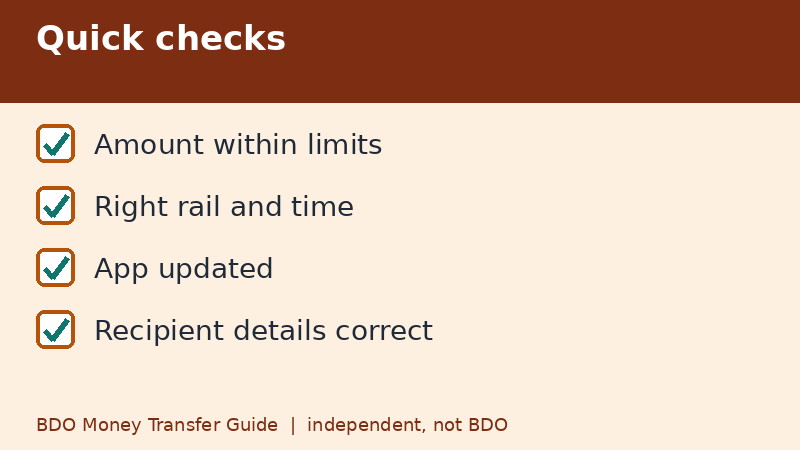
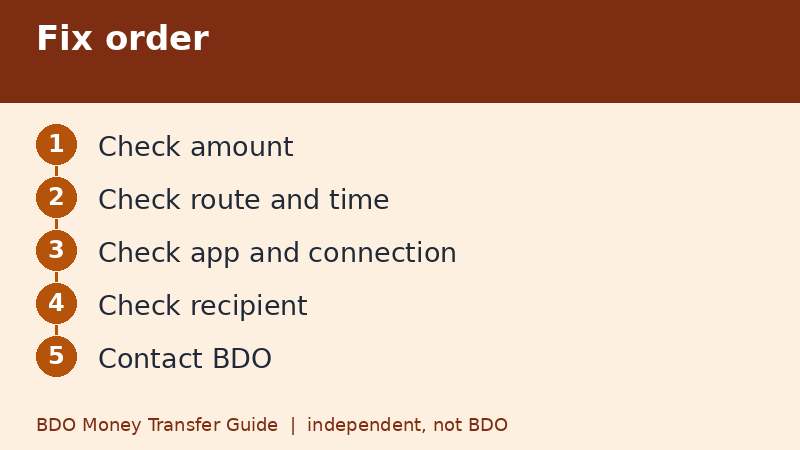
When BDO will not let you send money, the cause is usually one of a handful of ordinary things: the amount is below the minimum or above a limit, the daily limit is used up, the channel is wrong, the app needs an update, or the receiving bank is having maintenance. Run the checks below in order before you retry, because repeating a failed attempt can create double transfers.
Last checked: November 9, 2026. This independent guide is not BDO.
Check the amount first
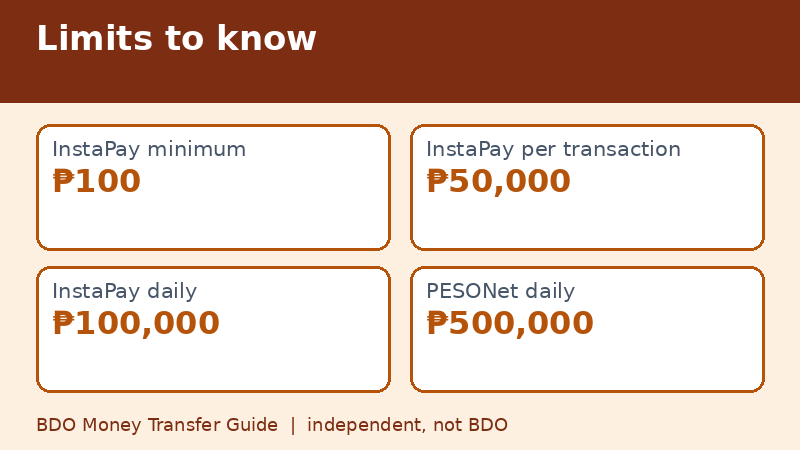
- Below the minimum: InstaPay and PESONet need at least ₱100. BDO-to-BDO peso transfers start at ₱1.
- Above the per-transaction cap: InstaPay allows up to ₱50,000 per transaction.
- Above the daily limit: InstaPay shows ₱100,000 shared daily; BDO accounts and PESONet show ₱500,000.
- Shared limits: QR payments and QR cash withdrawals use the same ₱100,000 as InstaPay.
Most of these figures come from BDO's Limits and Fees page checked on November 9, 2026. If your app shows something different, trust the app.
Check the route and the time
PESONet instructions sent after 3:00 PM, on weekends, or on holidays are processed on the next banking day, which can look like a failed transfer if you expected same-day credit. Currency conversion from pesos to dollars is available only from 7:00 AM to 10:00 PM. Wires have an 11 AM cut-off. If you picked the wrong rail for the situation, change it.
Check your phone and app
- Make sure you have a stable connection. Switch between Wi-Fi and mobile data to test.
- Update BDO Online or BDO Pay from the official store.
- Close and reopen the app, or restart the phone.
- Check that your device binding and mobile number are still valid.
- Try the other BDO app, if you have both.
Avoid installing apps from links in messages. Fake apps are a common scam.
Check the recipient details
A transfer can fail when the account number is wrong, the bank is not the one you selected, or the account is closed or restricted. Compare the account number against what the recipient sent you in writing. Remember that BDO Unibank and BDO Network Bank are different banks.
Check for maintenance and outages
Banks and wallets have maintenance windows, and the receiving side can be slow even if BDO's side is fine. If a wallet transfer fails but a transfer to another bank works, the wallet may be having trouble. Wait a while and try again with a smaller amount to test.
Do not double send
If you were charged and the status is unclear, do not resend yet. Check the transaction history, your balance, and your notifications. Only if the history shows failed and your balance is intact should you try again. If the history shows pending, wait for the bank's processing window, and contact BDO through official channels if it does not resolve.
When to contact BDO
If you have gone through the list and the problem continues, contact BDO using the official channels on its website or app. Prepare your reference number if any, a screenshot of the error, the amount, the recipient's bank, and the time of the attempt. Do not share your passcode or OTP with anyone.
A five-minute routine
If you are in a hurry, run this short routine. First, read the error message slowly and note the exact words. Second, check the amount against the minimum and the daily limit. Third, check the time against the cut-offs. Fourth, check that the app is updated and your connection is stable. Fifth, try a very small amount to the same recipient, only if it is above the minimum. If that works, the problem was probably the amount or the limit. If it also fails, the issue is likely on the account, app, or recipient side.
What to tell the bank
Support staff can help faster if you give them the exact error text, the time of your attempt, the amount, the route, and whether the same problem happens on both apps. Screenshots help. Avoid sending photos of cards or screens that show your passcode or OTP.
Quick recap
- Check minimum and limits.
- Check cut-offs and routes.
- Update the app.
- Verify the recipient.
- Do not double send.
Look at your own habits too
Many repeated failures come from the same small habits: copying account numbers from chat messages with hidden spaces, typing amounts with commas, or using an old saved recipient after the other person changed accounts. If a saved recipient suddenly fails, delete it and enter the details again from a fresh message from the recipient.
Frequently asked questions
Why can't I send money to another bank?
Common reasons are the ₱100 minimum, the InstaPay per-transaction cap, the daily limit, or an outdated app.
Why does the app say transaction failed?
The reason can be on either bank's side. Check history and retry only once you know it failed.
Is BDO down today?
Check for notices in the app and on BDO's official channels. Do not trust unofficial pages claiming to confirm outages.
Will my money be returned if it fails?
A failed transfer normally returns to your account. Check your balance and history, and contact BDO if it does not.
Should I uninstall and reinstall the app?
Try updating and restarting first. If you reinstall, use the official store and be ready to re-bind your device.
Related guides
- Sent BDO Money to the Wrong Account? What to Do Now
- BDO Money Transfer Scam Warning Signs and Safe Habits
- BDO Money Transfer via PESONet: Cut-Off and Limit
Back to the full guide: BDO Money Transfer: Fees, Limits, Other Banks & Overseas