
BDO to BDO Transfer: Fee, Limit and Steps
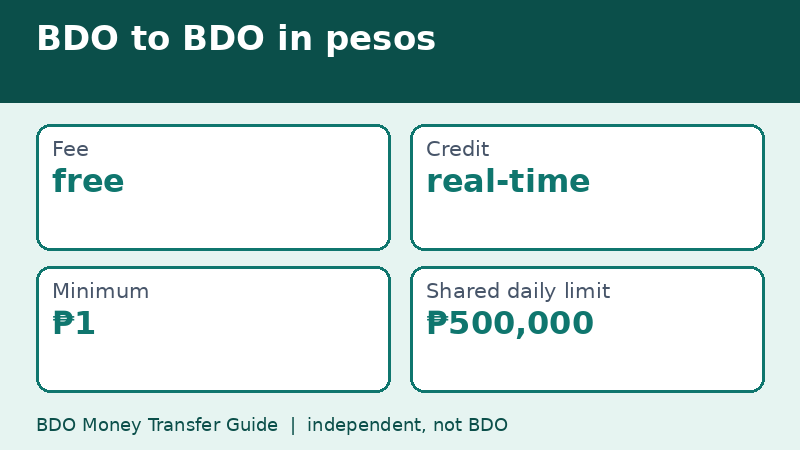
A BDO-to-BDO transfer in pesos is listed as free on BDO's published Limits and Fees page, with real-time crediting, a ₱1 minimum, and a shared daily limit of ₱500,000. That is the page's wording as of November 9, 2026. It is the simplest transfer you can do in the app because no other bank is involved.
Last checked: November 9, 2026. This independent guide is not BDO.
Why BDO to BDO is the easiest route
When both accounts are inside BDO, the money does not need to travel through InstaPay or PESONet. It moves between two accounts on the same system. That is why BDO lists the transfer as free and real-time, and why the minimum is only ₱1 while transfers to other banks start at ₱100.
This is also the route to use when you are moving money between your own accounts, for example from a payroll account to a savings account you do not want to touch, or topping up an account before a big payment.
The limit that matters: ₱500,000 shared daily
The word shared is important. The ₱500,000 figure on BDO's page is a daily limit shared across the transfers that fall under it, so it is not a fresh allowance for every transaction. If you already sent a large amount earlier in the day, only the remainder is available.
Here is a quick example. Suppose you send ₱300,000 to a relative's BDO account in the morning. In the afternoon you want to pay another ₱250,000. The second transfer would take you past the ₱500,000 shared limit, so you would either have to send ₱200,000 or wait until the next day. Planning large payments in one go, or across two days, avoids that surprise.
Steps in the app
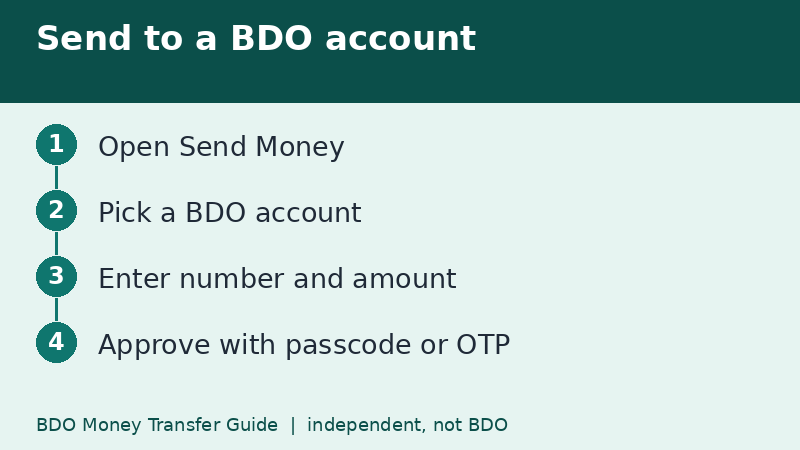
- Log in to BDO Online or BDO Pay.
- Tap Send Money.
- Choose the option for your own BDO account or for another BDO account.
- Enter the recipient's account number and the amount. Add a short note if the app offers one.
- Check the name and the fee line on the review screen.
- Approve with your passcode, biometrics, or OTP.
The labels may differ slightly depending on your app version, so follow your own screen if the wording does not match.
Saving the recipient for next time
If you pay the same person every month, such as a landlord or a family member, check whether the app lets you save the recipient. It reduces typing mistakes. Just remember that a saved name can also hide a mistake you made the first time, so verify the first entry carefully before you save it.
Foreign currency accounts
BDO's table also lists transfers between BDO accounts held in the same foreign currency. These are shown as free with real-time credit, a minimum of one unit of the currency, and shared daily limits that depend on the currency. Examples on the page include USD 7,000, EUR 6,000, GBP 5,000 and JPY 1,100,000. Converting between currencies is a different transaction, covered in our page on own-account transfers.
When a BDO-to-BDO transfer may not work
- The account number belongs to BDO Network Bank, a different bank, so the app will not find it in the BDO list.
- The daily limit has already been used up.
- The recipient account is closed, dormant, or restricted.
- The app is on an old version, or your device binding needs to be refreshed.
If you keep hitting an error, our troubleshooting page explains the checks to run in order.
Fraud reminder for transfers inside the bank
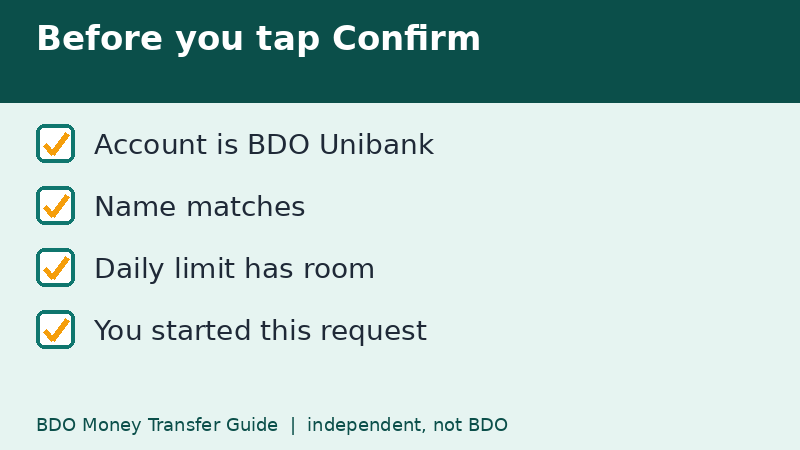
Because the transfer is instant and free, scammers like it too. Never send money to a BDO account because someone told you to by text, a call, or a chat message you did not start. Banks do not ask you to move money to a safe account. If you were asked to do that, stop and read our page on scam warning signs.
Three everyday situations
Paying rent: your landlord has a BDO account and wants the money on the 1st. A BDO-to-BDO transfer arrives at once, so you can send it that morning and ask for a screenshot of the credit as proof. Splitting a family expense: one sibling holds the group account, and the others send their share from their own BDO accounts. Moving your own money: you receive your salary in one account and move a fixed amount to a savings account on payday, so the money is out of sight before you can spend it.
In each case, the same two habits apply: check the account name on the review screen, and keep the confirmation for your records.
Keeping transfers inside the bank tidy
Because transfers between BDO accounts are free and fast, it is tempting to move money around without thinking. Add a short note when the app lets you, such as the month and purpose, so your statements stay readable later. It helps when you are checking whether a payment was made.
Frequently asked questions
Is BDO to BDO transfer really free?
BDO's Limits and Fees page lists it as free as of November 9, 2026. Always read the fee line on your summary screen.
What is the daily limit for BDO to BDO?
The page shows a shared daily limit of ₱500,000 for peso transfers to any BDO account.
Can I send less than ₱100?
For BDO-to-BDO transfers the page shows a ₱1 minimum. Transfers to other banks start at ₱100.
Related guides
- BDO Money Transfer via InstaPay: How It Works
- BDO Money Transfer via PESONet: Cut-Off and Limit
- How Long Does a BDO Money Transfer Take? By Route
Back to the full guide: BDO Money Transfer: Fees, Limits, Other Banks & Overseas