
BDO Money Transfer to Another Bank: Steps, Limits and Checks
Yes, you can send money from a BDO account to another Philippine bank or e-wallet inside BDO Online or BDO Pay. You pick InstaPay for real-time transfers of up to ₱50,000 per transaction, or PESONet for larger amounts that clear in batches. On BDO's published Limits and Fees page, checked on November 9, 2026, both options are listed as free.
Last checked: November 9, 2026. This independent guide is not BDO.
What you need before you start
A bank transfer is only as good as the details you type in. Before you open the app, have these four things ready: the name of the receiving bank or e-wallet, the recipient's account number or mobile number, the exact account name, and the amount in pesos. If you are paying a seller or a relative, ask them to send you a screenshot of their account page instead of dictating numbers over the phone.
Update the BDO Online or BDO Pay app first. Older app versions sometimes show old menus or old fee notes, and a transfer that fails halfway through is more annoying than a five-minute update. Make sure your mobile number and device are still registered, because the final approval usually needs your passcode, a biometric check, or an OTP.
Step by step: sending from BDO to another bank
Menu names can change between app versions, so treat the order below as a guide and follow the labels you see on your own screen.
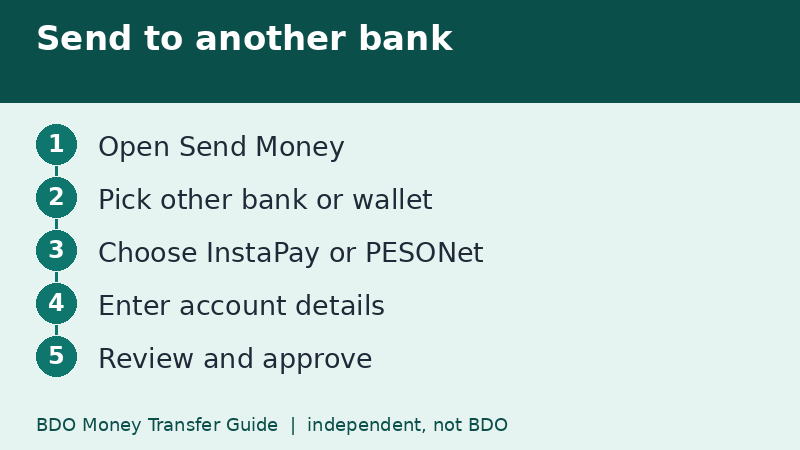
- Open BDO Online or BDO Pay and log in with your usual credentials.
- Tap Send Money from the dashboard.
- Choose the destination type. For a different bank or an e-wallet, pick the option for other banks and wallets, not the one for BDO accounts.
- Select the transfer channel, InstaPay or PESONet, if the app asks you to choose.
- Pick the receiving bank, then type the account number, account name, and amount.
- Review the summary screen, including the fee line, and approve with your passcode, biometrics, or OTP.
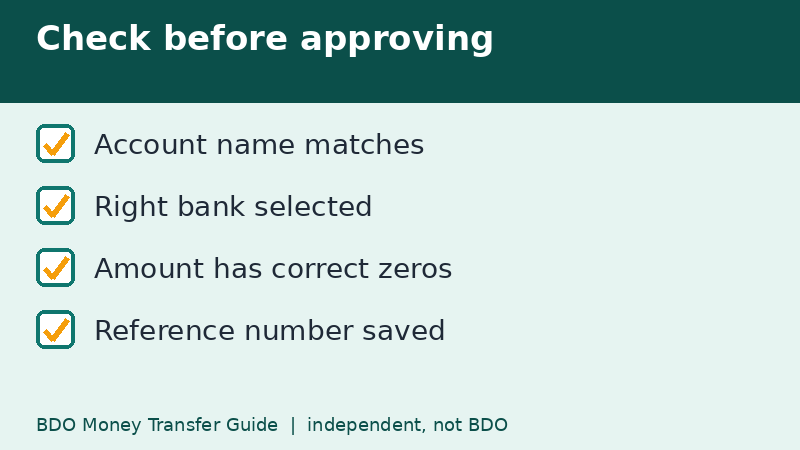
Keep the confirmation screen or the reference number. If anything goes wrong later, that reference is the first thing BDO or the receiving bank will ask for.
InstaPay or PESONet: which one should you pick?
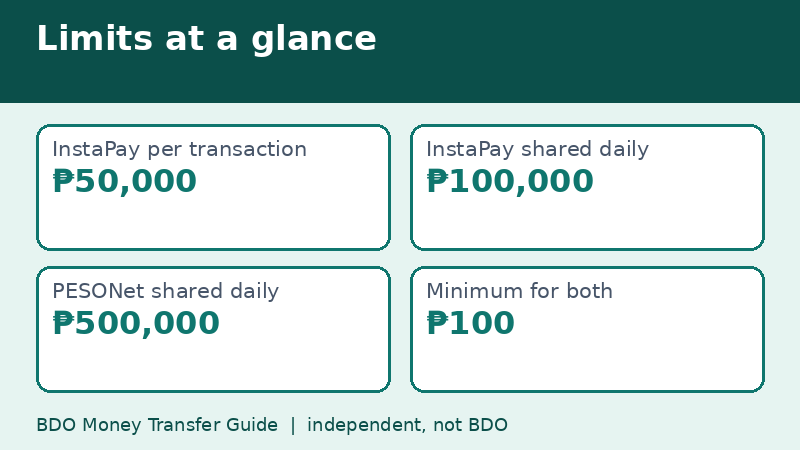
InstaPay is the real-time rail. BDO's limits table shows a ₱50,000 maximum per transaction, a shared daily limit of ₱100,000, and a ₱100 minimum. PESONet clears in batches, with a shared daily limit of ₱500,000 and the same ₱100 minimum. BDO's page says PESONet instructions sent on or before 3:00 PM are processed the same day, while those sent after 3:00 PM, on weekends, or on holidays move to the next banking day.
So the rule of thumb is simple. If the money must arrive now and the amount is ₱50,000 or less, use InstaPay. If the amount is bigger, or if arrival tomorrow morning is fine, use PESONet. A longer comparison is on our page about InstaPay versus PESONet.
A worked example with real numbers
Say you need to pay ₱120,000 for a tuition balance. InstaPay will not take it in one go, because the per-transaction cap is ₱50,000 and the shared daily limit is ₱100,000. You could try two transfers of ₱50,000 and then ₱50,000 again, but that already uses the whole daily InstaPay limit and nothing is left for QR payments that day, since Scan to Pay and QR cash withdrawals share the same ₱100,000.
A single PESONet transfer of ₱120,000 sent before 3:00 PM fits comfortably inside the ₱500,000 daily limit and keeps your InstaPay room free. The trade-off is timing: the school may only see the credit later that day or on the next banking day.
Check the details one more time
- Account name: if it does not match what the recipient told you, stop and ask.
- Bank name: BDO Unibank and BDO Network Bank are different banks. Pick the one your recipient actually uses.
- E-wallet transfers: some wallets appear under the operator's registered name in the bank list rather than the app name. Ask the recipient what to select.
- Amount: check the decimal point and the number of zeros before approving.
Most failed or misdirected transfers come from a wrong digit or the wrong bank choice, not from the app itself.
After you send
InstaPay transfers normally show as completed within moments. PESONet transfers show as accepted first, and the receiving bank credits them in its own batch. Check your transaction history in the app, and wait for your SMS or email notice if you have those switched on.
If the recipient says nothing arrived, do not send the same amount again. Compare the reference number, confirm the account details, and read our pages on tracking a transfer and on what to do when a transfer does not go through.
Fees and the fine print
Fees on BDO transfers changed in 2026. After the Bangko Sentral ng Pilipinas issued Circular 1238, which took effect on July 4, 2026, BDO announced on July 9 that InstaPay and PESONet transfers through BDO Online and BDO Pay are free. Older articles that mention ₱10 or ₱25 are out of date. Still, the limits table on BDO's page carries no effective date, so confirm the fee line on your own summary screen before approving.
Frequently asked questions
Can I transfer from BDO to GCash or Maya the same way?
Yes. E-wallets sit in the same bank-and-wallet list. Choose the wallet, then enter the mobile number or account number it asks for.
Is there a minimum amount?
BDO's table shows ₱100 for both InstaPay and PESONet to other banks. BDO-to-BDO transfers show a ₱1 minimum.
Why is my transfer pending?
If you used PESONet after 3:00 PM or on a weekend, it waits for the next banking day. InstaPay should not wait.
Related guides
- BDO Money Transfer to Another BDO Account: Free and Fast
- BDO Money Transfer via InstaPay: How It Works
- BDO Money Transfer Fees: What Is Free and What Is Not
Back to the full guide: BDO Money Transfer: Fees, Limits, Other Banks & Overseas